
What Is Indoor Signage: Effective Communication in a Store
Easy navigation is often a decisive factor for customers in a store when choosing where to shop. Up to 60 percent of visitors leave the store if they cannot quickly find their way around. In the context of medium-sized retail chains in Central Europe, the effectiveness of signage directly impacts customer loyalty and sales. Find out why clear indoor signage systems are changing the rules of the game in modern retail and what types of solutions can strengthen your customer communication.
Key Takeaways
| Point | Details |
|---|---|
| Indoor signage is an important communication tool | It enables effective navigation, provides information, and engages visitors within a space. |
| Different Types of Indoor Signage | Kiosks, totems, and displays serve different purposes and functions in communication. |
| Content management systems increase efficiency | They enable centralized control and quick updates to information. |
| A simple and clear presentation is important for businesses | Taking design and placement into account affects the effectiveness of communication. |
Basic Concepts and Definitions of Indoor Signage
Indoor signage is a visual communication system designed for indoor spaces, intended to guide, inform, and help visitors find their way within a specific space. Visual wayfinding systems are essential for effective communication in stores, offices, and public buildings.
Indoor signage includes various types of display devices—from traditional static signs to dynamic digital displays. The primary goal is to simplify wayfinding and provide relevant information in a quick and understandable way. These systems can include directional signage, information panels, interactive displays, and product presentations.
In terms of functionality, we distinguish several basic types of indoor signage:
- Navigation Signs – Designed for Spatial Orientation
- Information Displays – Providing Key Information About the Space
- Advertising billboards —used to promote products and services
- Safety Notices – Displaying Important Safety Instructions
Each type of indoor signage plays a specific role in the overall communication strategy of a space and contributes to a better user experience by simplifying navigation and ensuring the quick transmission of necessary information.
To better understand the advantages of indoor signage, here are the main benefits for businesses:
| Benefits | Description | Impact on the Business |
|---|---|---|
| Improved orientation | Clear spatial guidance | Reduces search time and increases satisfaction |
| Quick Content Updates | Ability to update information online | Flexible response to changes and promotions |
| Brand Strengthening | Consistent visual style | Greater brand recognition and customer trust |
| Effective Promotion | Dynamic display of offers | Increased sales and traffic |
Pro Tip: When designing an indoor signage system, always focus on clarity, consistency, and a user-friendly design that respects the natural visual path of visitors.
Types of Indoor Signage: Kiosks, Totems, and Displays
Indoor signage encompasses various technological solutions that are essential for effective communication in indoor spaces. Interactive information kiosks provide a modern platform for comprehensive information presentation that enables direct interaction with users.
Kiosks are freestanding devices designed to provide information quickly and efficiently. They can be equipped with a touchscreen that allows visitors to search for the information they need, find their way around, or even complete transactions on their own. They are typically used in shopping centers, airports, museums, and other public spaces.
Other important types of indoor signage include totems, which are vertical information panels used for navigation and the display of key information:
- Single-sided totems suitable for smaller spaces
- Double-sided totems that provide more space for information
- Digital signage displays with the ability to dynamically change content
Displays are another important category of indoor signage. They can be LCD, LED, or projection-based and are used to display dynamic advertising, informational, or navigational content. Their advantage is the ability to quickly change the information presented and attract visitors’ attention.
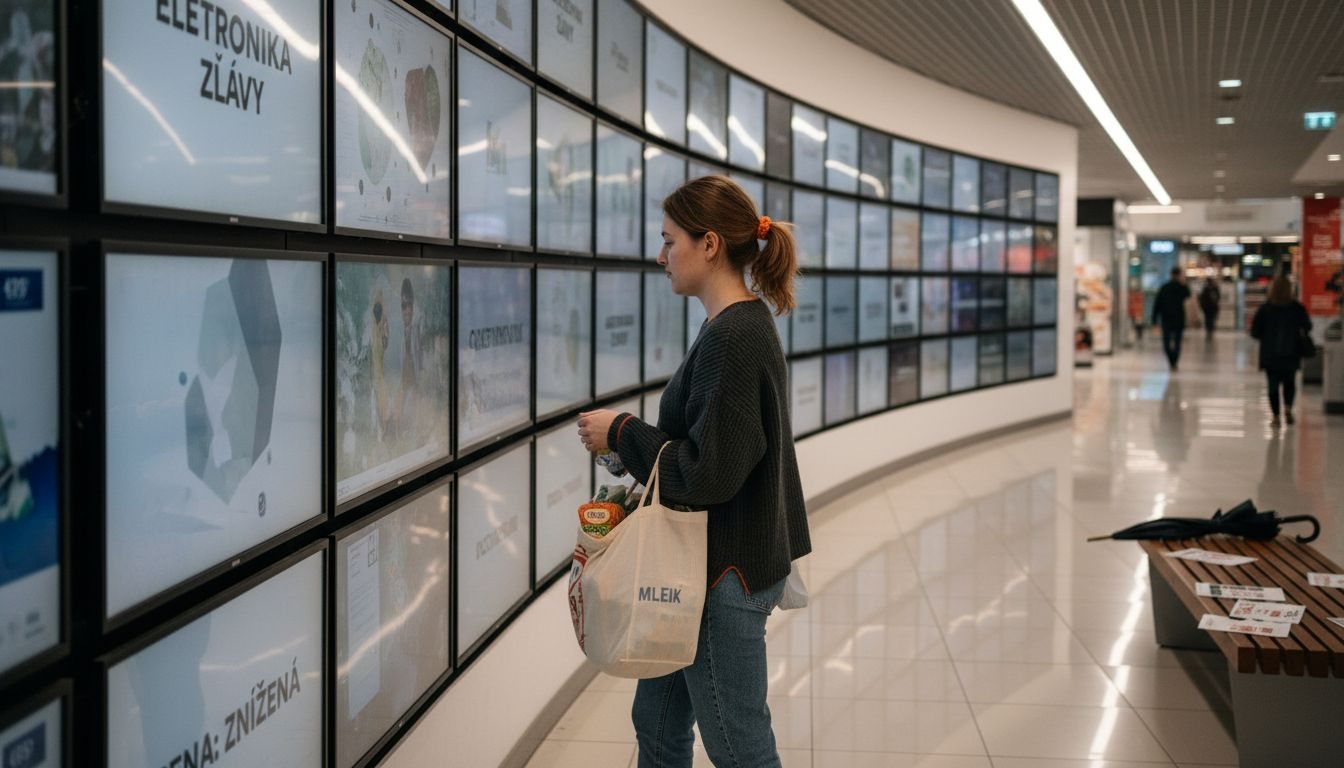
Below is an overview of the differences between key indoor signage technologies:
| Device Type | Control Method | Recommended Use |
|---|---|---|
| Kiosk | Touch Interaction | Self-Service Information Search |
| Totem | Autoplay | Navigation, visual presentation |
| Display | Remote Content Management | Quick Information and Advertising |
Pro Tip: When choosing an indoor signage system, consider the available space, your target audience, and the type of information you need to communicate.
How a Content Management System Works
A content management system for indoor signage is a comprehensive software tool that enables centralized control and distribution of digital content. Centralized management of multimedia content is a key mechanism for effective communication via digital displays.
The system’s functionality is based on several key processes. Administrators can upload, organize, and schedule various types of multimedia content, including images, videos, and text messages. The system allows for precise configuration of target displays, time intervals, and specific display requirements for each individual panel or group of panels.
The main features of the content management system include:
- Centralized Upload and Organization of Multimedia Content
- Flexible scheduling and display timing
- Remote Control and Updates
- Tailoring Content Based on Location and Target Audience
- Analytical tools for evaluating the effectiveness of ad impressions
Modern content management systems provide instant updates and ensure consistency of information across all digital signage networks. They enable a quick response to current needs, dynamic changes, and marketing strategies without the need for a physical presence at each display.
Pro Tip: When choosing a content management system, focus on its scalability, user-friendliness, and integration capabilities with your existing technologies.
 The Use of Indoor Signage in Retail
Indoor signage is a key tool for modern retail communication that significantly enhances the customer experience in retail spaces. It enables retailers to effectively guide, inform, and attract the attention of visitors through strategically placed visual elements.
Navigation features are a cornerstone of indoor signage in retail. Digital displays and information boards help customers quickly find their way around the store, locate specific departments, product categories, or current promotions. Modern systems allow for dynamic content updates, giving retailers flexibility in presenting various types of information.
Key areas of application for indoor signage in retail include:
- Navigation and Spatial Orientation
- Presentation of New Products and Special Offers
- Displaying Prices and Current Discounts
- Corporate Identity and Brand Communication
- Providing Additional Product Information
In addition to navigation and information functions, indoor signage serves as a powerful marketing tool. Dynamic displays can significantly influence customers’ purchasing behavior, extend the time spent in the store, and increase the overall likelihood of a purchase. They enable personalized communication that responds to current trends and the needs of the target audience.
Pro Tip: When implementing an indoor signage system, focus on design consistency, content relevance, and user-friendly navigation that will make it easier for your customers to find their way around.
The Most Common Mistakes in Selection and Installation
Selecting and installing indoor signage systems requires a meticulous approach, as the wrong decisions can significantly reduce their effectiveness. The most common mistakes are not merely technical in nature but are often related to the overall concept and strategic planning of communication.
Design and visual flaws are among the most serious problems in the creation of indoor signage. Retailers often underestimate the importance of simplicity and readability, resulting in complicated and confusing visual messages. Overloaded designs, inappropriate color combinations, and unclear text can completely undermine the original communication intent.
Some of the most common mistakes made when selecting and installing indoor signage systems include:
- Inappropriate placement of display screens
- Ignoring the lighting conditions of the space
- Insufficient consideration of distance and angle of view
- A haphazard design that does not align with the corporate identity
- Underestimating the Importance of Regular Maintenance and Content Updates
During installation, not only the technical execution but also strategic planning is crucial. A signage system must be designed with a comprehensive understanding of the space, the target audience, and the communication objectives. Neglecting any of these aspects can lead to a reduction in the overall effectiveness of communication.
Pro Tip: Before final installation, always create a visualization and test the readability and visibility of the signage from various angles and distances.
Master effective communication in your store with WVsignage solutions
In this article, you’ve learned how important indoor signage is for improving wayfinding, quickly updating information, and presenting a brand in an attractive way. Our company, WVsignage s.r.o., can solve even the most common challenges—whether they involve complex content management or poor visual design—using comprehensive digital solutions tailored precisely to your needs.
Choose from our selection of interactive kiosks for easy self-service searches, digital totems for effective navigation and presentations, or wall-mounted displays and large LED screens that instantly capture your customers’ attention. With a content management system that enables flexible scheduling and convenient remote updates, you’ll avoid common mistakes and gain control over your communication channel.
Don’t wait until your visual signage loses its effectiveness. Order a custom solution from us at WVsignage.sk and take your in-store communication to a whole new level today.
Frequently Asked Questions
What does “indoor signage” mean?
Indoor signage is a visual communication system designed for indoor spaces that helps visitors find their way, obtain information, and become aware of a product offering or brand.
Why is indoor signage important in retail?
It makes it easier to navigate the store, reduces the time spent searching for products, and makes shopping more convenient. Clear communication can also increase customer satisfaction and their willingness to return.
What types of indoor signage are used?
These include directional signs, information panels, advertising spaces, digital displays, kiosks, totems, and safety notices. The choice depends on the purpose, the space, and the method of communication.
What is the difference between static and digital indoor signage?
Static signage provides consistent and straightforward information, while digital solutions allow you to change content and display promotions, videos, or navigation as needed.
What are kiosks and interactive displays used for?
They help customers search for products, get details, check availability, or use self-service features. At the same time, they can relieve staff of the burden of answering repetitive questions.
What is a content management system for digital signage?
This is a tool for centralized management of displayed content. It allows you to update information on one or more displays, plan campaigns, and tailor your messaging to a specific time or location.
What should you consider when choosing indoor signage?
Key factors include the purpose of the solution, the size and layout of the space, visibility, legibility, lighting conditions, design, durability, and the ability to modify the content in the future.
What are the most common mistakes made with indoor signage?
Common mistakes include unclear layout, too much text, poor contrast, inconsistent design, and failure to update information. The solution should be easy to understand at a glance and adapted to visitors’ movements.