

A Call System in a Healthcare Facility: How We Reduced Patient Wait Times
Do patients have to wait a long time and not know when it will be their turn? The digital waiting list instantly shows them their current place in line.
Are there disputes over the order of the queue and a lot of noise in the waiting room? The call system ensures clear, quiet, and fair call announcements.
Digital signage and a digital call system have transformed what most people considered the necessary evil of a doctor’s visit—the long, uncertain, and nerve-wracking wait in the hallway. In this case study, we describe how we replaced the chaotic practice of calling patients through the door at an outpatient healthcare facility with a calm and organized digital queue system that displays the order of patients on a screen. The goal was not to sell a specific model, but to demonstrate the actual implementation process and its impact on both patients and staff.
If you’re dealing with overcrowded waiting rooms, noise at the clinic doors, and complaints about unclear queuing procedures, this article will walk you through specific steps. We’ll outline the initial situation, the implementation process, and both the measurable and qualitative benefits of deploying the system in an outpatient setting.
How has the call-up system reduced patient wait times?
Short answer: by implementing a digital queue system that assigns patients a number immediately upon arrival and displays that number on a screen in the waiting room. This way, patients can see when it will be their turn, they don’t have to stand by the door, and staff are no longer repeatedly interrupted. The result was a calmer environment, a smoother flow of patients, and fewer disputes over the order of the queue.
The digital call system does not operate in isolation. It is part of a broader concept of visual communication within the space, where the screen serves not only to call numbers but also to provide additional information to patients. It is here that the waiting list system intersects with the principles we recognize from effective internal communication via indoor signage.
What was the situation like in the waiting room at first?
Before the system was implemented, patients followed a “by agreement” order of priority. Whoever arrived first remembered whose turn it was next. In practice, this seemingly simple method fell apart with every new arrival.
The nurse or doctor’s staff had to repeatedly open the door and call out the next patient’s name. In the noisy waiting room, the name was often drowned out, the patient didn’t respond, and the order of patients moved along in a chaotic manner.
The most common problems we identified on site were the following:
- Patients’ uncertainty —no one knew exactly when their turn would come—which heightened the tension.
- Disputes over the order of patients—especially when scheduled and unscheduled patients arrive at the same time.
- Work interruptions —staff had to constantly focus on managing the waiting room instead of attending to the patient in the exam room.
- Noise and stress —the repeated knocking on the door was disruptive to the entire space.
The facility needed a system that would handle the organization of the waiting list, lighten the staff’s workload, and at the same time provide patients with clear and reassuring information.
How did the implementation of the digital waiting list go?
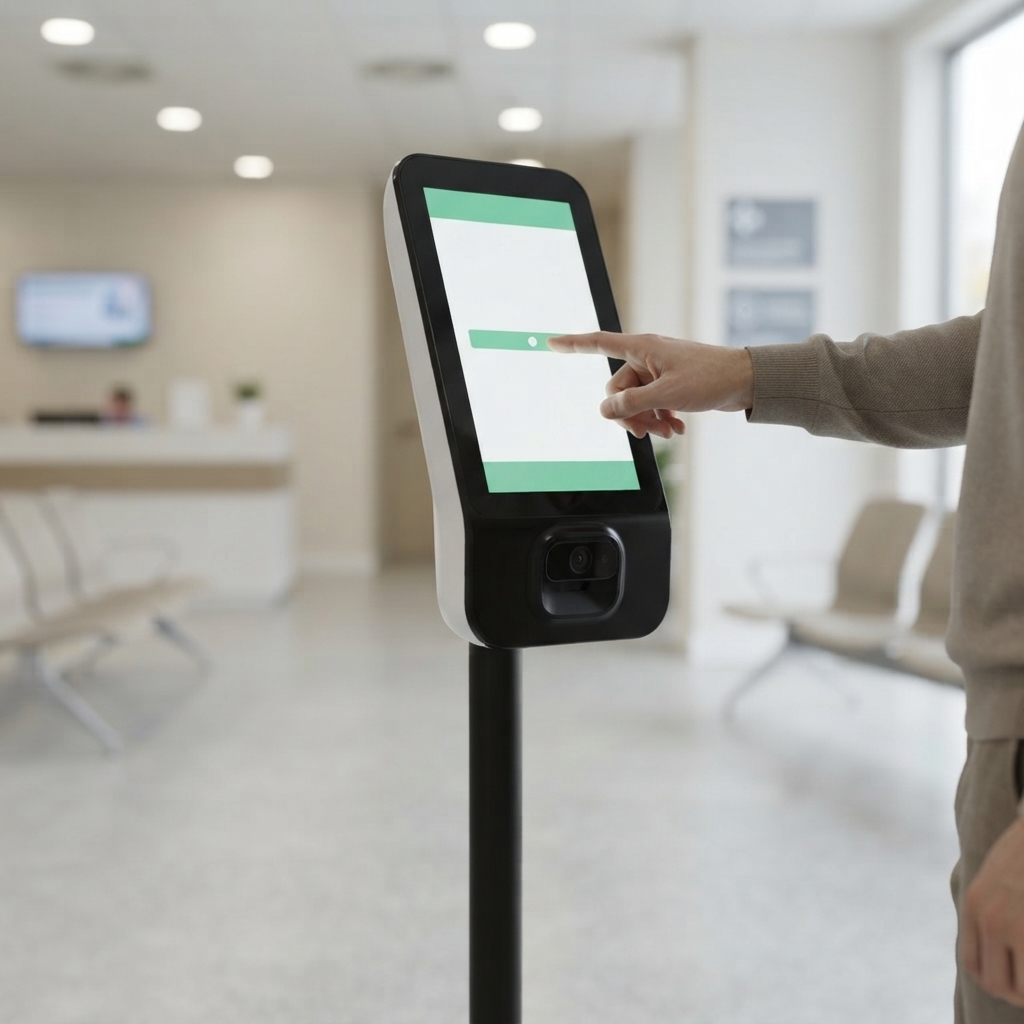
We divided the implementation into several logical phases. We rolled out the call system gradually so that the change would disrupt the clinic’s normal operations as little as possible. We emphasized ease of use and intuitive operation. This allowed the staff to quickly become familiar with the new queue management system without lengthy training and to continue focusing on the patients.
1. Analysis of Operations and Patient Flow
First, we mapped out how patients arrive, where they spend their time, and where the longest delays occur. We identified the best locations for the call system and determined where to place the display screen so that most of the people waiting could see it.
2. Location of the display and the printing area
We positioned the screen so that it is visible from every seat in the waiting room. At the entrance, there is a station where patients can pick up their number—either in person or by logging in. Thanks to the clear graphical interface, even older patients can easily navigate the system.
3. Configuring Order and Categories
We have configured the digital waiting list to reflect the reality of healthcare operations—distinguishing between patients with and without appointments, prioritizing urgent cases, and managing multiple clinics simultaneously. As a result, the system doesn’t just display raw numbers; it reflects the day-to-day reality of clinic operations.
4. Staff Training
The staff was given a simple control that allows them to call the next patient in line from the exam room with a single click. The number appears immediately on the screen and, if necessary, is accompanied by an audible signal. The nurse no longer had to get up and call out through the door.
What was the actual benefit for patients and staff?
The most noticeable change was in the atmosphere of the waiting room. The room fell silent as the constant calling of names and glances toward the door ceased. The patient watched the screen, where he could clearly see the current queue and his number.
For patients, this meant, above all, a sense of control. They knew when to be ready, could step away for a moment, and didn’t have to worry about losing their spot. This sense of certainty significantly reduced stress and the number of complaints.

The staff regained their time. Instead of constantly figuring out the order of patients, they could focus on the patient in the exam room. Conflicts arising from unclear queuing order also disappeared—the screen is a neutral, trustworthy source of information that no one argued with.
In addition, the digital screen has created opportunities for supplementary communication. Between displays of the waiting list, health recommendations, office hours, or instructions for patients can be shown. We are also familiar with a similar “screen-as-an-information-channel” concept from other industries, such as the use of digital signage in lodging facilities, where the display enhances the guest experience while also providing information.
Digital signage in healthcare is therefore not just a technical gimmick. It is a tool that directly improves the patient experience and the organization of work—which are the two most important values in the healthcare setting. According to the World Health Organization, the quality and organization of care delivery are among the key factors in patient satisfaction, and this is precisely where a clear waiting list can make a significant difference.

Digitálna komunik.
What can we take away from this project?
The implementation of a digital waiting list as part of a digital signage system is a change that will affect every single patient and staff member. This is not a cosmetic change, but a different way of managing the flow of people in the space.
Recommendations that apply universally when implementing a call-up system and displaying the order on the screen:
- Start by mapping the actual patient flow, not your perception of it.
- Position the screen so that it is visible from every seat.
- Keep the controls from the office as simple as possible.
- Set the order based on actual operations—scheduled, unscheduled, and priority.
- Use the free space on the screen to display useful information for patients.
The result is a waiting room that feels calm and professional, staff who are dedicated to their work, and patients who leave feeling better about their entire visit.
Frequently Asked Questions
How has the digital call system reduced patient wait times?
The system assigned patients a place in line as soon as they arrived and displayed the current number on a screen in the waiting room. This meant patients didn’t have to keep an eye on the door or repeatedly check when it would be their turn.
What problems did the original method of organizing the rankings address?
The original method led to uncertainty, disputes over the order of patients, noise, and frequent interruptions to the medical staff’s work. Furthermore, patients did not always hear or correctly understand the verbal calls.
What does the patient see on the screen in the waiting room?
On the screen, they can see the number currently being called and, depending on the settings, other practical instructions or information for patients. The content can be customized for a specific facility.
Do patients need assistance from staff when using the system?
The standard procedure is designed to be simple and easy to understand. Patients are assigned a number upon arrival and can follow the next steps on the screen, so staff do not have to explain the waiting process to each person individually.
How did the system ease the burden on nurses and doctors?
The staff no longer had to repeatedly open the door, call out to patients, or resolve disputes over the order of appointment. As a result, they were able to focus more on providing medical care and ensuring the smooth operation of the clinic.
Can the system be customized for different clinics?
Yes. The settings can be customized to accommodate the number of workstations, the method of assigning queue numbers, the size of the waiting room, and the healthcare facility’s internal rules.
How did the system affect the atmosphere in the waiting room?
The waiting room was calmer and more organized. Patients had a better idea of how long they would have to wait, which reduced tension, misunderstandings, and conflicts related to the order of service.
What needs to be prepared before implementing a digital waiting list?
First, it is necessary to analyze patient flow, the registration process, the number of workstations, and staffing needs. Next, the appropriate placement of the screen and terminal will be determined, the system will be set up, and staff will be trained on how to use it.